An options chain is a comprehensive listing of every available option contract for a given underlying asset. It organizes contracts by expiration date and strike price, presenting calls and puts side by side so you can quickly evaluate the full range of trading opportunities on a single screen.
Why the Options Chain Matters
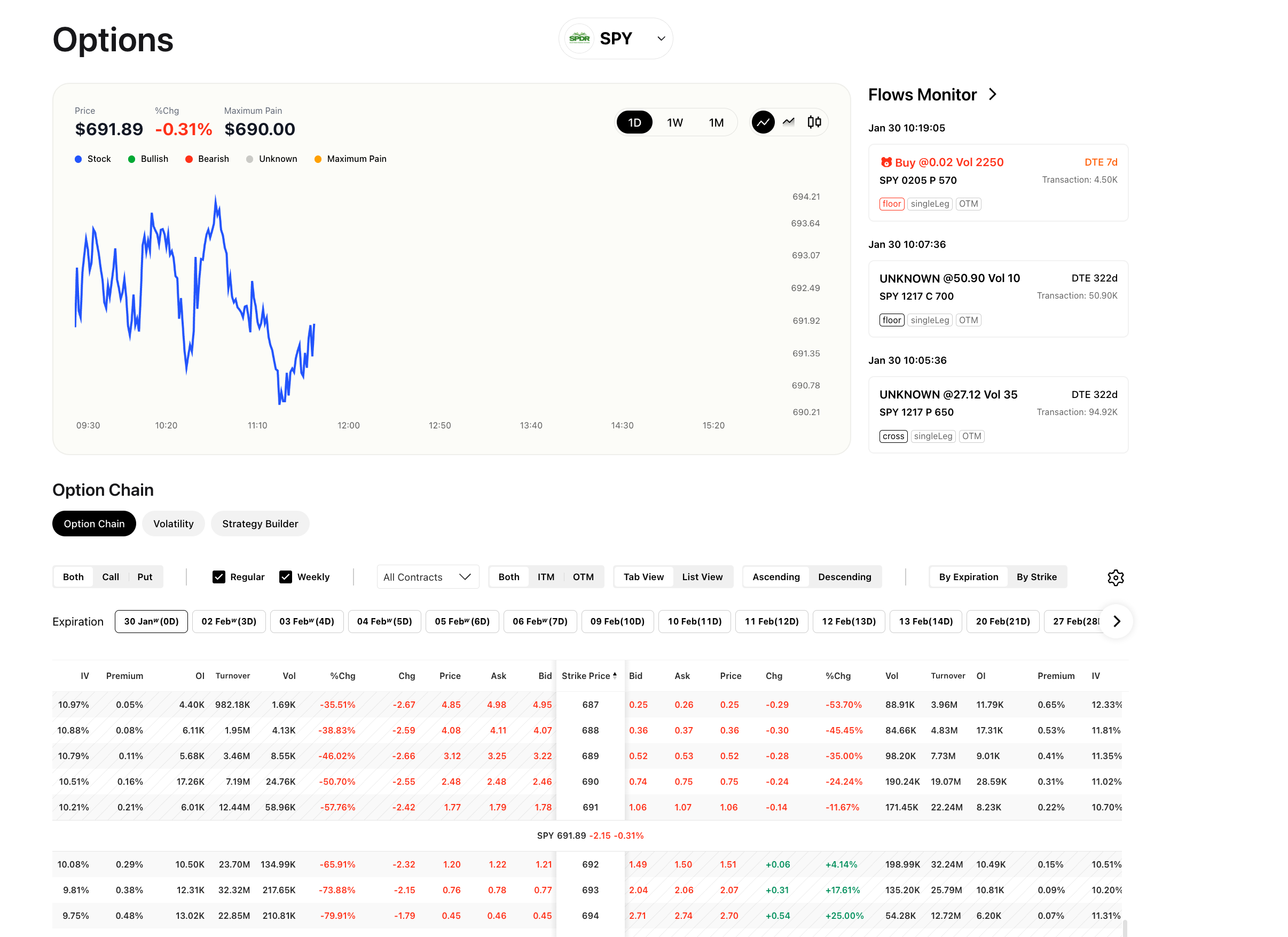
The options chain is the primary tool you will use to assess the options market for any stock or ETF. It surfaces the data points that drive trading decisions:
- Pricing: View the bid, ask, and last-traded price for every listed contract.
- Liquidity: Check volume (contracts traded today) and open interest (total outstanding contracts) to gauge how actively a contract is traded.
- Implied Volatility and Movement: Monitor percentage change and absolute change columns to understand how option premiums are shifting during the session.
- Strike Selection: Compare premiums across strike prices to find the right balance of cost and probability for your strategy.
Without the chain, you would have to look up contracts one at a time. The chain consolidates everything into a single, sortable, filterable view.
How Ainvest Organizes the Chain
Ainvest provides the options chain on both web and mobile, but the layouts differ to suit each platform.
- Web: A dual-panel layout places calls on the left and puts on the right, with the strike price in a shared center column. You get full access to filters, sort controls, and two distinct view modes (Tab View and List View).
- Mobile: A streamlined single-column layout displays one expiration at a time, with tabs across the top for switching between dates and a toggle for All, Call, or Put contracts.
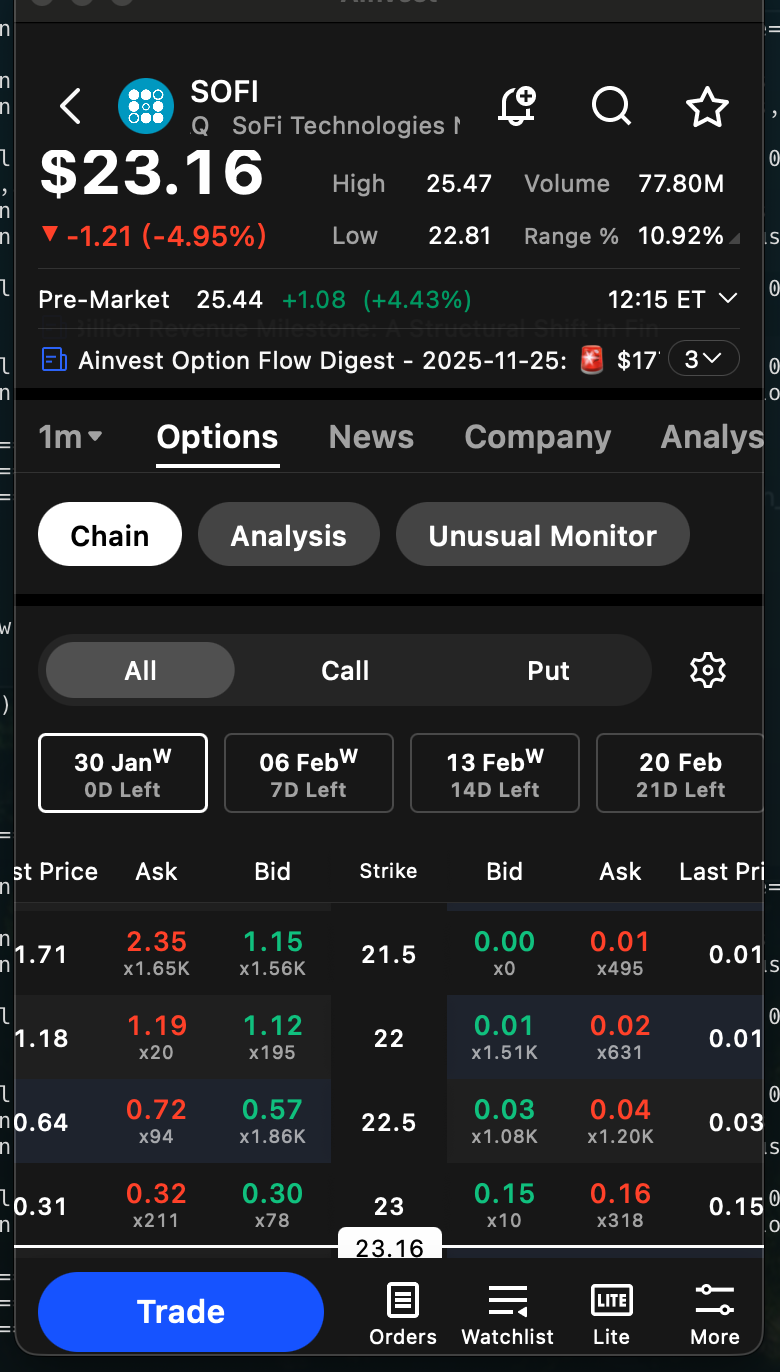
Both platforms show the same underlying data. The web interface offers more advanced filtering and layout options, while the mobile interface prioritizes speed and simplicity.
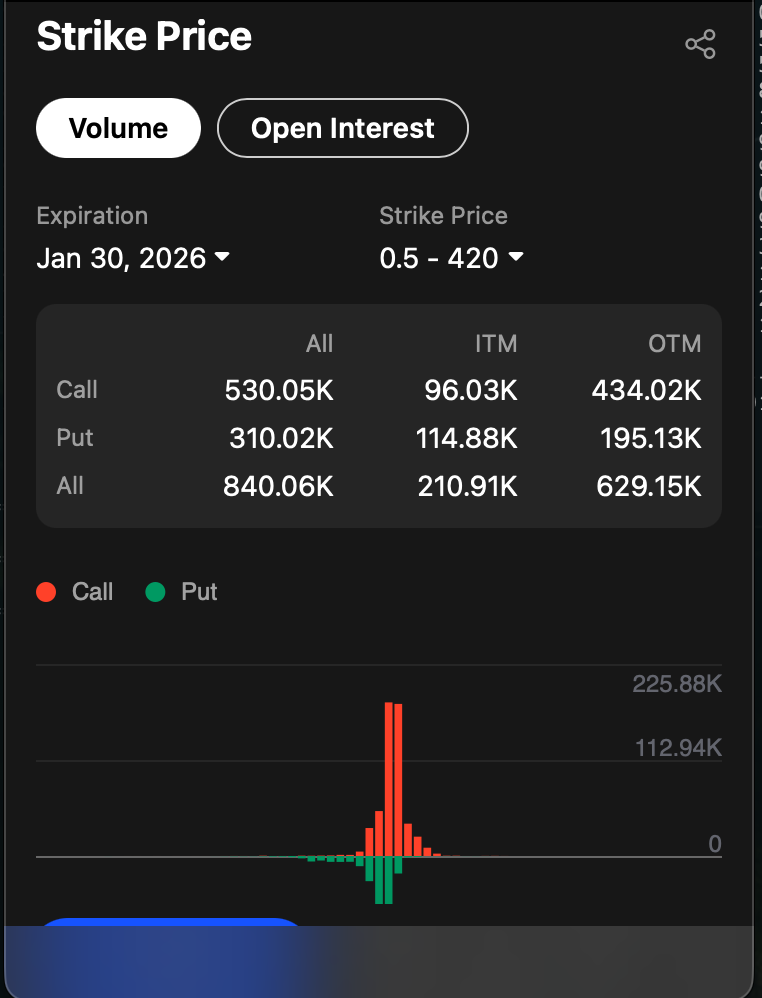
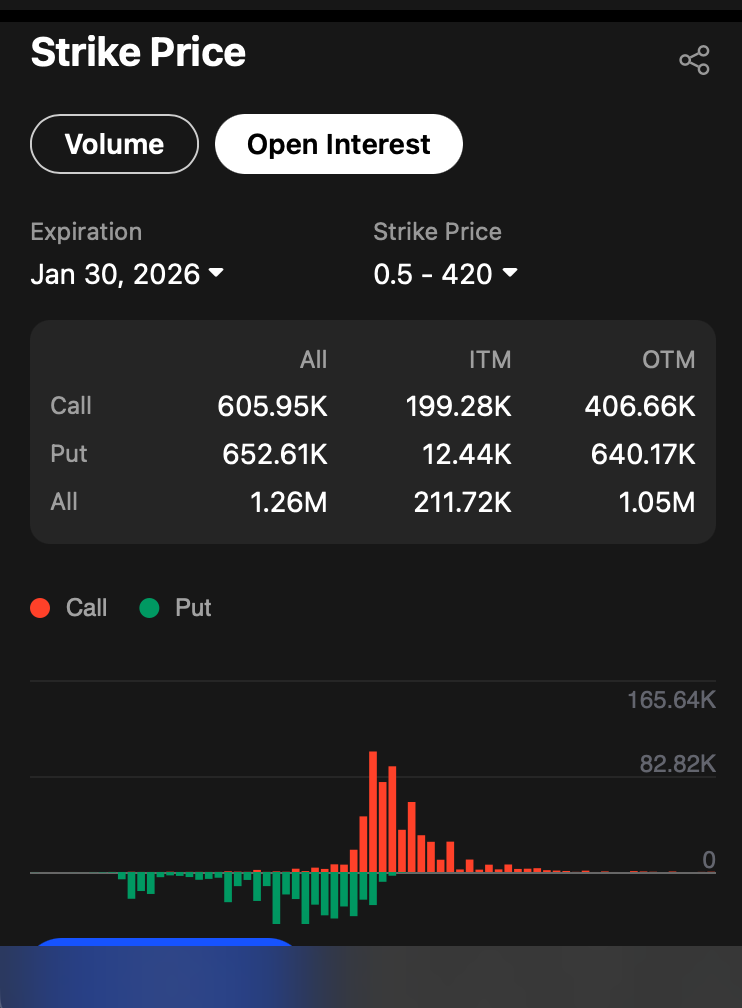
On mobile, you can also explore strike price analysis with visual breakdowns of ITM and OTM contracts:
Where to Find It
- Web: Navigate to
https://www.ainvest.com/options/{TICKER}/and select the Option Chain tab. For ETFs, usehttps://www.ainvest.com/etfs/{TICKER}/options/and select the same tab. - Mobile: Open the ticker page, tap the Options tab, then select the Chain sub-tab.
Try it on Ainvest: Open the Option Chain — browse real-time options contracts across strikes and expirations.
Next Steps
This article is part of a four-part guide to the Ainvest options chain. Continue with the companion articles below:
- Reading the Option Chain -- A column-by-column walkthrough of every data point displayed in the chain.
- Filtering and Sorting the Option Chain -- How to use call/put toggles, moneyness filters, expiration selectors, and sort controls to narrow the view.
- Chain Views and Layouts -- How to switch between Tab View and List View, organize by expiration or strike, and work with the mobile layout.